
CM Punjab E Bike Scheme
The CM Punjab E Bike Scheme 2026 Phase 2 is a Punjab Government initiative for students across Punjab. Under the current programme, 100,000 electric bikes are being offered through a government-supported financing arrangement with Rs. 90,000 capital subsidy, 0% interest and no down payment.
Maryam Nawaz Electric Bike scheme also provides a 3-year financing period, while the Government of Punjab will cover the insurance, registration and token tax costs. The monthly installment of Rs. 3,000 for applicants.
The latest Phase-2 information includes students from public and private educational institutions. Students must also meet the required age, driving permit and guarantor conditions before applying.
If the form is not loading, click below:
Apply on Official PortalCM Punjab E Bike Scheme 2026: Latest Update
The CM Punjab E Bike Scheme Phase 2 is designed to make daily transportation easier for students across Punjab. The official programme provides 100,000 electric bikes through a financing arrangement supported by the Government of Punjab.
The E-Bike Program Phase-2 information includes a Rs. 90,000 capital subsidy, 0% interest rate, 3-year financing period and no down payment. The Government of Punjab will also bear the cost of insurance, registration and token tax.
Here are the main details students should know before applying:
| Scheme Detail | Latest Information |
|---|---|
| E-bikes announced | 100,000 |
| Down payment | Zero |
| Monthly installment | Around Rs.3,000 |
| Battery | Lithium Iron Phosphate (LFP) |
| Helmet | Free |
| Safety rod | Free |
| Riding training | Free two-day training |
| Application last date | October 4, 2026 |
| Delivery direction | Eligible students targeted for delivery within six weeks |
What Changed in the CM Punjab E Bike Scheme 2026?
Students may find older information about the Punjab e-bike program online, including different down-payment and installment figures. These older figures should not be mixed with the current Phase-2 information displayed on the official website.
The current official Phase-2 highlights 100,000 e-bikes, Rs. 90,000 capital subsidy, 0% interest, 3-year financing and no down payment.
| Feature | Current Phase-2 Information |
|---|---|
| Total E-Bikes | 100,000 |
| Capital Subsidy | Rs. 90,000 |
| Down Payment | No Down Payment |
| Interest Rate | 0% |
| Financing Period | 3 Years |
| Insurance | By GoPb |
| Registration | By GoPb |
| Token Tax | By GoPb |
| E-Bike Price | PKR 199,000 |
| Monthly Installment | Approximately Rs. 3,000 |
Applicants should always check the current official portal before relying on older articles or social media posts about the scheme.



Who Can Apply for the CM Punjab E Bike Scheme?
The CM Punjab E-Bike Scheme is available to eligible students enrolled in government and private educational institutions across Punjab. Applicants must meet the required student, age, licensing, and guarantor conditions before submitting their application.
Eligibility Criteria
Students should meet the following eligibility requirements:
- Institution: Students studying in both government and private educational institutions are eligible to apply, subject to the scheme’s applicable conditions.
- Minimum Age: The student must be at least 16 years old at the time of application submission.
- Driving License or Permit: The student must have a valid motorcycle driving license, learner’s permit, or juvenile driving permit, as applicable.
- Guarantor: A parent or legal guardian can act as the guarantor and must provide valid proof of income.
- Guarantor’s CNIC: The guarantor must have a valid CNIC.
- Guarantor’s Mobile Number: The mobile number provided in the application must be registered in the name of the guarantor.
Required Documents
Applicants should keep their personal, educational and guarantor information ready before starting the application. The exact documents and information required should be checked on the live official portal because the application system may provide specific instructions during registration.
Based on the official eligibility requirements, applicants should be prepared to provide information related to:
- Student information
- Educational institution details
- Driving license or learner’s/juvenile permit
- Guarantor’s CNIC
- Guarantor’s proof of income
- Guarantor’s mobile number
Students should make sure that the information entered in the application is correct and matches their official documents.
How to Apply for CM Punjab E Bike Scheme 2026 Online
Students seeking information on how to apply online for the CM Electric Bike Scheme should use the official Punjab E-Bike portal instead of depending on unofficial websites. The application process should be completed according to the instructions displayed on the live portal when applications open. Avoid using a third-party website as a substitute for the official application system.
Steps to Apply Online
- Open the official e-bike portal.
- Check the eligibility requirements before starting your application.
- Submit your application through the official web portal.
- Complete the required documentation according to the portal instructions.
- Wait for verification of your application details and eligibility.
- Complete approval and financing formalities if your application proceeds successfully.
- Receive your e-bike after completing the required process.
By following all this information, you can easily complete your registration process. Only students can apply for the electric bike scheme.
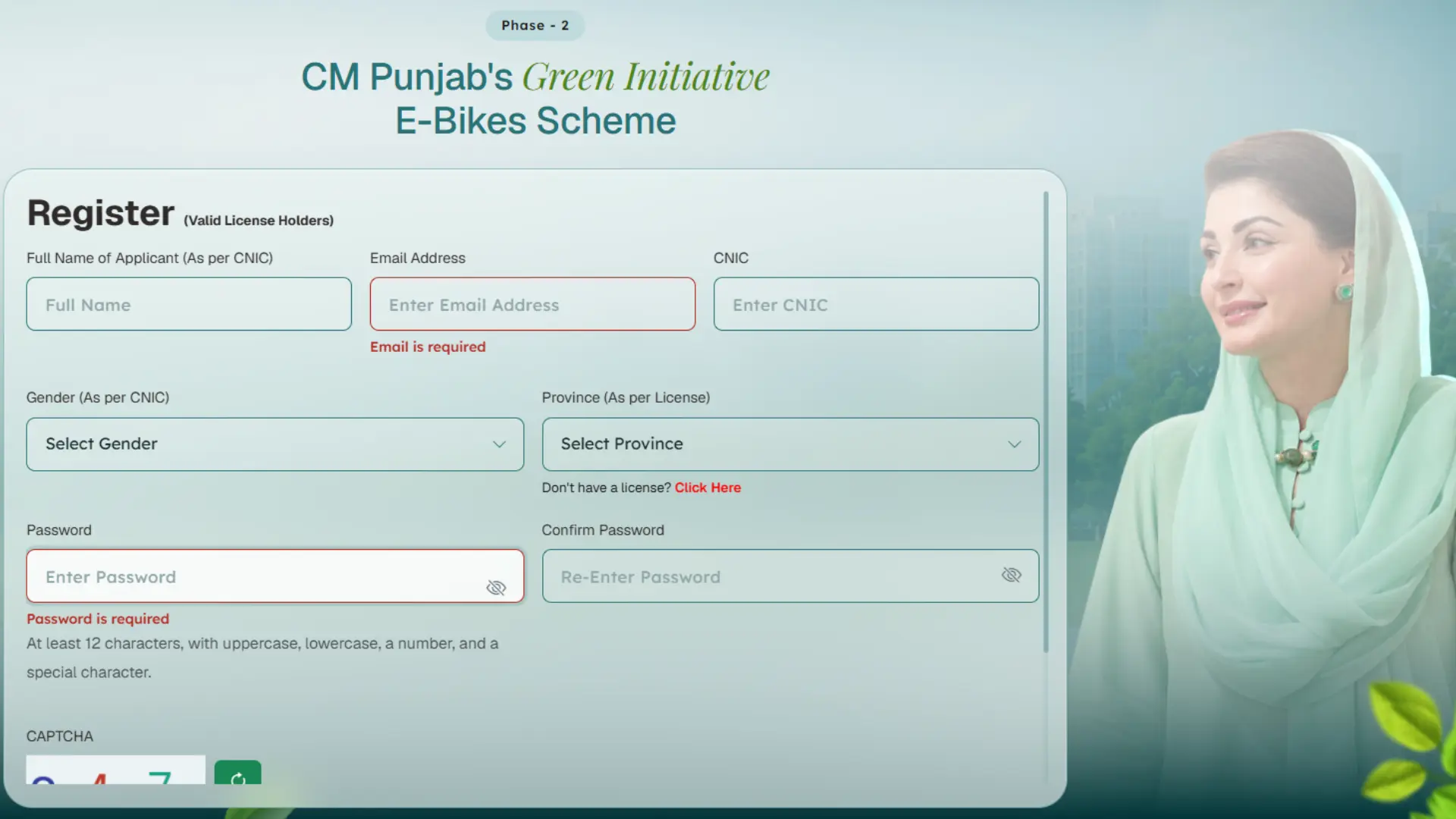
Official CM Punjab E Bike Scheme Portal
Students should use the official Punjab Government e-bike portal when checking the scheme details or submitting an application. Follow these steps:
- Go to bikes.punjab.gov.pk to access the official E Bike Portal.
- Check the current eligibility criteria, application requirements, and guides available on the portal.
- Enter your personal and educational information only through the official government portal.
- Do not rely on websites that use the CM Punjab E Bike Scheme name but are not connected to the Punjab Government.
- The scheme does not require applicants to pay individuals or agents who claim they can guarantee selection.
- Never share your OTP, password, CNIC details, or other sensitive information with unofficial agents or individuals.
Following these steps can help students to avoid scams while applying for the Bike Scheme.
CM Punjab E Bike Scheme Application Process
The Student Bike Scheme Phase-2 website shows a five-step process for students applying for the e-bike scheme. Applicants first submit their application online and then complete the required documentation before their eligibility and application details are verified.
After verification, successful applicants move to the approval and financing stage. Once the required formalities are completed, the e-bike is delivered to the successful applicant.
Step 1: Submit Application
Students submit their application online through the official Punjab e-bike portal.
Step 2: Documentation
Applicants complete the required documentation.
Step 3: Verification
The applicant’s details and eligibility are checked during the verification process.
Step 4: Approval & Financing
Applicants complete the required approval and financing formalities.
Step 5: Bike Delivery
After completing the required process, successful applicants receive their allocated e-bike.
What Is the Monthly Installment and Down Payment?
The current scheme provides a 3-year financing period with a 0% interest rate for applicants. The official website also highlights a monthly installment of approximately Rs. 3,000, although applicants should follow the final financing schedule shown during the application and approval process.
The scheme also provides zero down payment, which means eligible applicants do not need to pay an upfront amount before proceeding with the financing arrangement.
Is There Any Down Payment?
No. The official Phase-2 information states that there is no down payment for the e-bike financing arrangement.
How Much Is the Monthly Installment?
The latest announcement gives a monthly installment of around Rs.3,000.
Is the Bike Completely Free?
No. Zero down payment does not mean that students receive the bike without any repayment. Students are still expected to pay the 3000 monthly installment.
Who Will Pay the Interest, Insurance and Other Charges?
The current Phase-2 scheme provides significant government support for eligible students. The official website states that the financing has a 0% interest rate for applicants.
It also states that insurance, registration and token tax will be paid by the Government of Punjab. This means applicants do not have to treat these costs as part of the normal financing burden under the scheme.
Government Support Includes
- Token tax
- Rs. 90,000 capital subsidy
- 0% interest
- Insurance
- Registration
What is Price of E Bike?
According to the official Phase-2 website, the listed price of the e-bike under the scheme is PKR 199,000. However, the programme also provides a Rs. 90,000 capital subsidy, along with 0% interest and no down payment for applicants.
Students should check the final financing details shown during the approval process before assuming the exact amount they will repay.
CM Punjab E Bike Scheme Technical Specifications
The official website also provides the technical specifications of the electric scooty offered under the programme. These specifications include the battery capacity, motor power, maximum speed, battery type and other equipment.
The listed specifications are:
| Specification | Details |
|---|---|
| Make & Manufacturing | 2026 |
| Battery Capacity | 72V, 30Ah |
| Maximum Speed | 50–55 km/h |
| Motor Power | 1000 W |
| Battery Type | LiFePO4 |
| Dashboard | Digital Display |
| Controller | 12 Tube |
| Headlamp | LED |
| Suspension | Hydraulic Shock Absorption |
| Motor Type | BLDC Rear Wheel Hub Motor |
The e-bike uses a LiFePO4 battery, also known as a lithium iron phosphate battery. The official specifications also list a digital display, LED headlamp and BLDC rear-wheel hub motor.
How Will the CM Student Bike Scheme Application Be Processed?
The official website shows a five-stage application process rather than giving applicants a simple registration-and-delivery process. First, the applicant submits the application online. The required documentation is then completed, followed by verification of applicant details and eligibility.
After verification, the process moves to approval and financing formalities. The final stage is bike delivery for successful applicants who complete the required process.
CM Punjab E Bike Scheme 2026 Features and Benefits
The CM Punjab E Bike Scheme provides several financial benefits to make electric transportation more accessible for students. The official Phase-2 information shows a Rs. 90,000 capital subsidy, 0% interest rate, and 3-year financing period. Applicants also do not need to make a down payment under the current arrangement. The Government of Punjab will also bear the cost of insurance, registration and token tax associated with the e-bike.
The main benefits include:
- Rs. 90,000 capital subsidy
- 0% interest rate
- 3-year financing period
- No down payment
- Insurance covered by GoPb
- Registration covered by GoPb
- Token tax covered by GoPb
- Free helmet and safety rod
- LiFePO4 battery technology
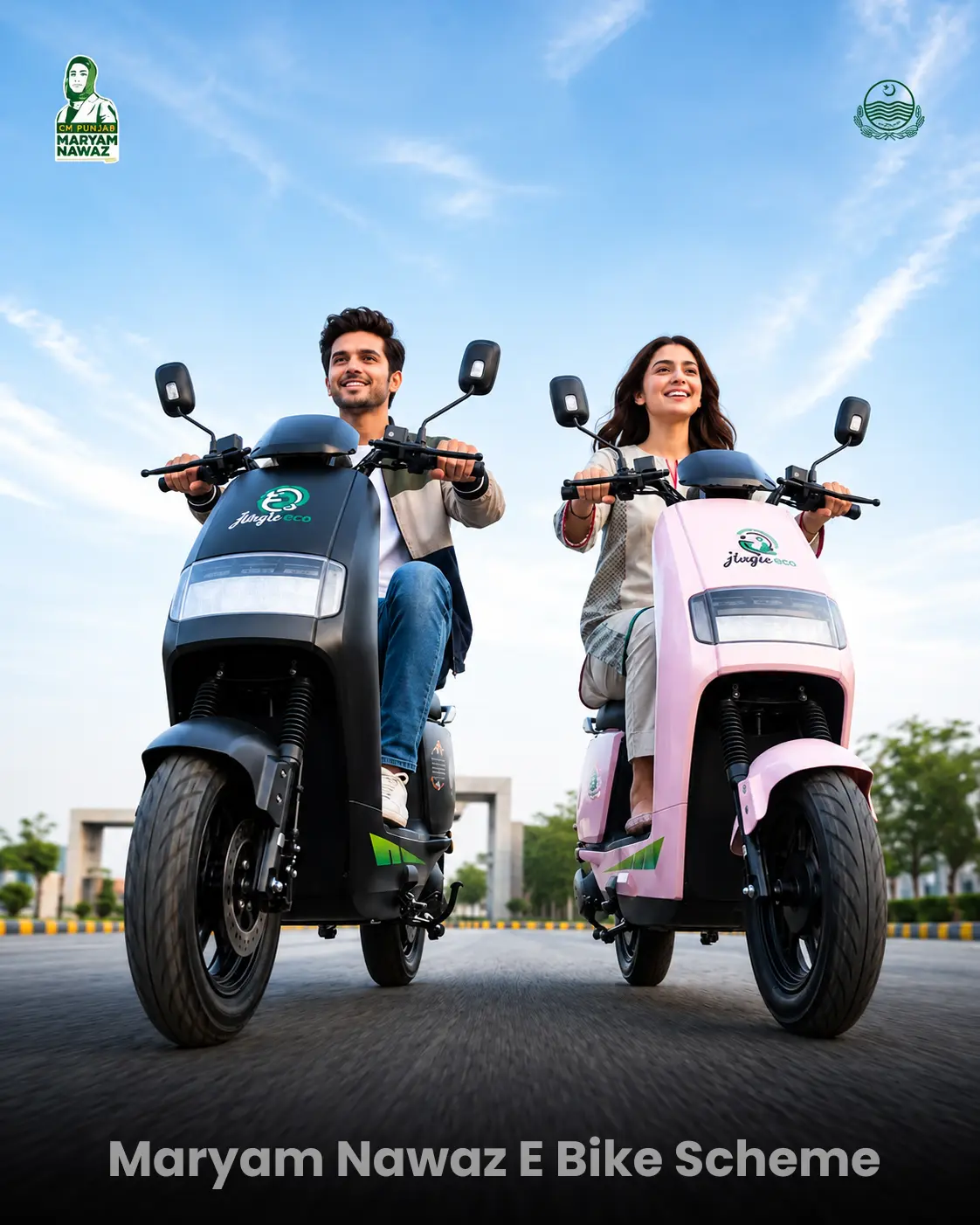
Are E-Bikes Available in Different Colors?
The official website displays the e-bike in different colors, including black and pink.
The displayed colors can be presented as follows:
| Bike Color | Displayed For |
|---|---|
| Black Bike | for Boys |
| Pink Bike | for Girls |
Students should follow the options available through the official application and delivery process rather than assuming that a particular color is guaranteed for every applicant.
Is the CM Punjab E Bike Scheme Completely Free?
No. The E Bike Scheme should not be described as a completely free bike programme. The Bike Scheme Phase-2 provides zero down payment and a 0% interest rate, but the bike is offered through a financing arrangement. The official website also lists a 3-year financing period and an approximate monthly installment of Rs. 3,000.
The Government of Punjab provides a Rs. 90,000 capital subsidy and covers insurance, registration and token tax according to the official programme information.
Official CM Punjab E Bike Scheme Portal
Students should use the official Punjab e-bike portal to check the latest scheme information and apply online.
Official CM Punjab E Bike Scheme Portal
Before submitting personal information, applicants should check that they are using the official bikes.punjab.gov.pk domain. Students should avoid unofficial websites or individuals who claim that they can guarantee selection in the scheme.
How to Avoid Fake CM Punjab E Bike Scheme Websites
Students should be careful when searching for e-bike registration information online. Unofficial websites may use the scheme name and government-related terms to attract applicants.
Follow these basic precautions:
- Use the official Punjab e-bike portal.
- Check the website address before entering personal information.
- Do not pay an agent who promises guaranteed selection.
- Do not share your OTP or password with anyone.
- Avoid suspicious registration links shared through social media.
- Do not enter CNIC information on unknown websites.
- Check scheme details through official government information.
- Follow the instructions shown on the official application portal.
A genuine application should be completed through the official programme system rather than through an individual or unofficial agent.
FAQs About CM Punjab E Bike Scheme 2026
What is the CM Punjab E Bike Scheme 2026?
The CM Punjab E Bike Scheme 2026 is a Punjab Government initiative that provides 100,000 electric bikes to eligible students through a government-supported financing arrangement.
How many e-bikes will Punjab provide to students?
100,000 electric bikes have been announced for students under the programme.
Is there a down payment for the CM Punjab E Bike Scheme?
No. The current Phase-2 information states that there is no down payment for applicants.
What is the monthly installment for the Punjab e-bike scheme?
The latest announcement gives a monthly installment of around Rs.3,000.
Can private-sector students apply for the e-bike scheme?
Yes. The latest announcement includes students from government and private-sector institutions.
Can female students apply for the CM Punjab E Bike Scheme?
Yes. Female students are included in the programme. The latest announcement also mentioned pink e-bikes for girls.
When did last date for the 2026 e-bike scheme?
Applications were announced to close on October 4, 2026.
What is the official CM Punjab E Bike Scheme portal?
The official Punjab e-bike scheme information identifies bikes.punjab.gov.pk as the programme portal. Students should verify the current application link through official Punjab Government or PITB information before submitting their details.
Is the CM Punjab e-bike completely free?
No. Students do not have to make a down payment under the latest announcement, but they are expected to pay a monthly installment of around Rs.3,000.
Conclusion
The CM Punjab E Bike Scheme 2026 Phase 2 provides 100,000 electric bikes for eligible students through a government-supported financing arrangement. The programme includes a Rs. 90,000 capital subsidy, 0% interest rate, 3-year financing period and no down payment.
The Government of Punjab will also cover insurance, registration and token tax, while the official programme highlights free helmets and safety rods. The e-bike listed on the official website has a 72V, 30Ah LiFePO4 battery, 1000W motor and a maximum speed of 50–55 km/h.
Students should check the official portal for the latest application instructions and complete the process through the government website.