The PM Youth Chromebook Scheme 2026 allows eligible students in Pakistan to apply for a Chromebook through the official https://pmychromebooks.ibcc.edu.pk/ portal. Students can start by selecting their education board, entering their CNIC, B-Form, roll number, or registration number with their date of birth, and clicking Find My Record. If their record appears, they can check their details, upload the required documents, submit the application, and save their application slip.
The scheme is designed to help high-performing students access digital learning tools without having to buy an expensive device. However, many students are unsure about eligibility, minimum marks, school categories, required documents, and what to do when their records are missing. This guide explains the complete online application process, province-wise quotas, student verification, merit selection, registration schedules, and Chromebook delivery in 2026.
Important note: This website is not the official website of the PM Youth Chromebook Scheme. For verified information and for your registration, always use the official IBCC portal at https://pmychromebooks.ibcc.edu.pk/ and confirm your registration there.
What is PM Youth Chromebook Scheme 2026?
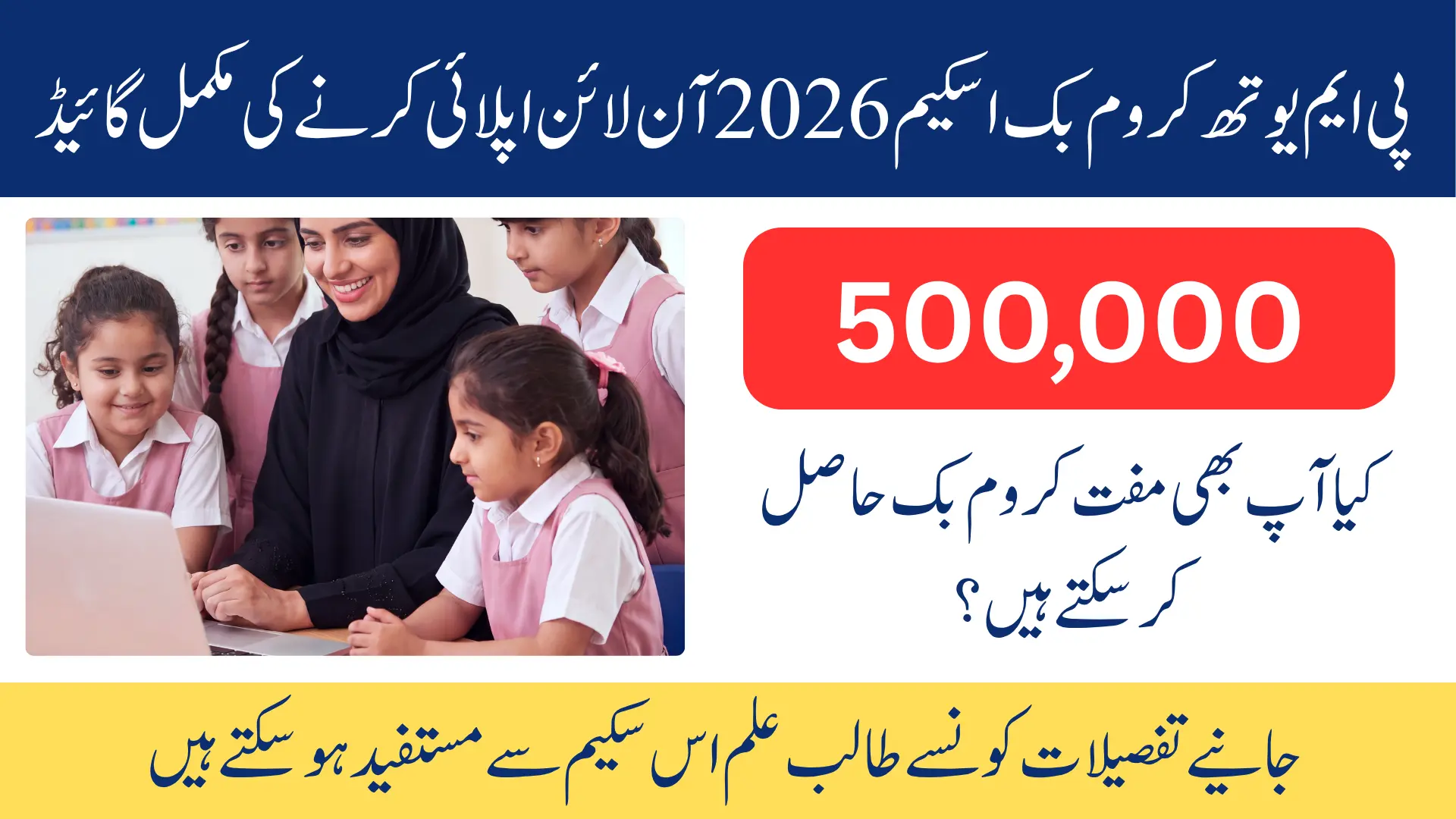
The PM Youth Chromebook Scheme 2026 is a government education initiative launched by Prime Minister Shehbaz Sharif on 25 October 2026 in Islamabad. The programme aims to distribute 500,000 Chromebooks over two years to support digital education across Pakistan. It also includes internet connectivity devices to help students access online educational resources.
The scheme is run by the Ministry of Federal Education and Professional Training in collaboration with the Prime Minister’s Youth Programme. The Inter Boards Coordination Commission (IBCC) manages the online application portal and works with education boards to verify eligible student records. Students are considered through their Annual Examination 2026 results, regional quotas, and merit-based selection.
PM Youth Chromebook Scheme 2026 – Quick Overview
Main details at a glance:
| Information | Details |
|---|---|
| Scheme Name | PM Youth Chromebook Scheme 2026 |
| Launched By | Prime Minister Shehbaz Sharif |
| Launch Date | 25 October 2026 |
| Launch Location | Islamabad, Pakistan |
| Responsible Ministry | Ministry of Federal Education and Professional Training |
| Supporting Programme | Prime Minister’s Youth Programme |
| Portal Management | IBCC |
| Official Website | pmychromebooks.ibcc.edu.pk |
| Total Target | 500,000 Chromebooks |
| Programme Duration | Two years |
| Main Eligible Group | Top-performing students from public/government schools |
| Relevant Examinations | Annual Examinations 2026 |
| Eligible Classes | Grade 9 and, in certain regions, Grade 10 |
| Selection Method | Board records, merit, and regional quotas |
| Application Method | Online through IBCC portal |
| Maximum File Size | 300 KB per uploaded file |
| Registration Deadline | Varies by education board |
| Distribution Method | Courier delivery after final merit selection |
Who Can Apply? Eligibility Criteria 2026
The PM Chromebook Scheme 2026 mainly targets top-performing students from government and public schools who appeared in the Annual Examinations 2026. An important requirement is that the student’s name must appear in the eligible student records submitted by their education board to IBCC. Simply studying in an eligible class does not automatically qualify a student for a Chromebook.
Eligibility by region:
| Region | Eligible Class | Examination |
|---|---|---|
| Punjab | Grade 9 | SSC-I |
| Sindh | Grade 9 | SSC-I |
| Khyber Pakhtunkhwa | Grade 9 | SSC-I |
| Balochistan | Grade 9 | SSC-I |
| Islamabad Capital Territory | Grade 9 and Grade 10 | SSC-I and SSC-II |
| Azad Jammu and Kashmir | Grade 9 and Grade 10 | SSC-I and SSC-II |
| Gilgit-Baltistan | Grade 9 and Grade 10 | SSC-I and SSC-II |
- Example: a Grade 9 student from a Punjab government school is considered on SSC-I Annual Examination 2026 results and the board’s eligibility list.
- Example: a Grade 10 student from Islamabad is considered because Islamabad includes both SSC-I and SSC-II categories.
- In both cases, the record must be available for verification, and final selection depends on merit and quota.
Also Read: CM Student Electric Bike Scheme Draw Update 2026 (Step-by-Step Guide)
Private School, Foundation-Supported School and Madaris Students – What Is the Actual Rule?
The reported eligibility information needs careful reading because different sources describe school categories differently. The IBCC portal eligibility wording, as reported, focuses on students from government and public schools. Meanwhile, ministry and news reports also mention private schools supported by education foundations and registered madaris, but their inclusion should not be treated as guaranteed for every applicant.
Students from foundation-supported private schools should contact their education board or the responsible education authority to confirm whether their institution is covered. Registered madaris students should also ask the relevant authority about their application and verification process, particularly because a separate share of the regional quota is allocated to madaris students. Do not assume that every private school or madrasa follows the same online application process as government schools.
50% Marks Requirement – What Is True?
Some ministry statements and news reports describe at least 50% marks in SSC-I as a minimum eligibility condition for the PM Youth Chromebook Scheme. However, the reported IBCC portal eligibility wording does not clearly establish one universal 50% cutoff for every application category. Students should confirm the applicable marks requirement with their education board or responsible authority rather than treating this reported figure as a final portal rule.
Even when a student meets the applicable minimum marks requirement, selection is not automatic. Merit is determined through eligible board records and competition within the relevant province, board, and academic stream until the available quota is filled. As a result, a student who meets a minimum percentage may still not receive a Chromebook if other eligible candidates rank higher.
Province-Wise Quota 2026
The government has set a target of 500,000 Chromebooks across Pakistan under the programme. These devices are allocated among provinces and territories, with different quotas for each region. The following table shows the announced regional distribution.
| Province / Region | Chromebook Quota |
|---|---|
| Punjab | 181,090 |
| Sindh | 85,925 |
| Khyber Pakhtunkhwa | 51,170 |
| Balochistan | 31,815 |
| Islamabad Capital Territory | 100,000 |
| Azad Jammu and Kashmir | 25,000 |
| Gilgit-Baltistan | 25,000 |
| Total | 500,000 |
Each regional quota is divided into 80% for school students and 20% for madaris students. Within the school students’ share, 70% is allocated to science students and 30% to arts students. These percentages explain how devices are distributed among categories, but they do not guarantee selection for an individual applicant.
How to Apply Online Through pmychromebooks ibcc Portal – Step by Step
Before opening the form, keep your examination information, identification documents, and recent photograph ready. Applicants cannot edit their submitted forms themselves, so follow the steps carefully.
Step 1: Visit the Official Portal
Open the official website: https://pmychromebooks.ibcc.edu.pk/
Avoid registration links shared by unknown social media accounts or unofficial websites.
Step 2: Select Your Education Board
Choose the education board under which you appeared in your Annual Examination 2026. IBCC checks your information against records supplied by education boards, so the correct board matters.
Step 3: Enter Your Student Information
Enter the details requested by the portal:
- CNIC or B-Form number
- Roll number or registration number
- Date of birth
Use the same details that appear in your official examination or registration records. Incorrect numbers or an incorrect date of birth may prevent the system from finding your record.
Step 4: Click Find My Record
After entering your information, click Find My Record. The portal will search for a matching student entry in the available board data. If the system cannot find your record, follow the troubleshooting section later in this guide.
Step 5: Verify Your Student Details
If your record appears, check:
- Student’s full name
- School or institution name
- Education board
- Examination details
- Marks or result information
If your name, school, or marks are incorrect, contact your education board or the responsible authority before proceeding.
Step 6: Upload the Required Documents
Prepare the required photograph, mark sheet, and identification documents in the accepted formats. Each file must be no larger than 300 KB. Make sure all uploaded images and documents are readable, complete, and match your student record.
Step 7: Review the Application
Check every field before final submission, especially your name, identification number, board, and uploaded documents. Submit only when you are satisfied that the information is correct, because you cannot edit it afterward.
Step 8: Submit Your Application
Complete the final submission through the portal. Students are allowed to submit only one application, so do not create another application for the same student.
Step 9: Save Your Application Slip and Reference Number
After submission, download or save the application slip and reference number provided by the portal. Keep them safe. A reference number confirms submission, not Chromebook selection.
Documents Required for Chromebook Application
Prepare these files before registration, so you can avoid errors during submission:
| Required Document | Accepted Format | Maximum Size |
|---|---|---|
| Recent colour photograph | JPG or PNG | 300 KB |
| SSC-I or SSC-II mark sheet, as applicable | JPG, PNG, or PDF | 300 KB |
| Attested copy of student’s CNIC or B-Form | JPG, PNG, or PDF | 300 KB |
| Attested copy of father/guardian CNIC | JPG, PNG, or PDF | 300 KB |
Before uploading, check:
- The photograph is recent and in colour.
- The mark sheet belongs to the relevant SSC examination.
- The identification numbers are clearly visible.
- Both required identification copies are attested.
- Each file is 300 KB or smaller.
- The documents are complete and readable.
If a file is larger than 300 KB, reduce its size while keeping the text clear.
Check Your Student Record and Student Verification
To check your record:
- Visit the official portal and select your education board.
- Enter the requested identification details with your date of birth.
- Click Find My Record and review the result.
What should you verify?
- Your name matches your examination record.
- Your education board is correct.
- Your school name is accurate.
- Your marks match the official result.
- Your examination category is correct.
Finding your record does not mean you have already won a Chromebook. Final selection happens later, through verification and merit ranking.
Record Not Found – What to Do?
First, check your entries. A wrong board, number, or date of birth can block matching, and your board’s data may not be uploaded yet.
Follow these steps:
- Recheck your education board: make sure you selected the board that issued your 2026 examination result.
- Check your identification number: enter your CNIC or B-Form number exactly as required.
- Verify your examination details: confirm your roll number or registration number using your official documents.
- Check your date of birth: use the date recorded in your board registration information.
- Confirm your board’s registration status: check whether the relevant student data has been made available to the portal.
- Contact your education board: ask whether your name is included in the eligible student records sent to IBCC.
- Seek official support: follow any support or grievance instructions published by IBCC or your board.
A missing record does not mean rejection. If it continues, contact the responsible authority before attempting any further steps.
Application Submission Rules – One Application, No Edit After Submit, Reference Number and Slip
- One application per student only.
- No edit after submission, so review every field and document before you submit.
- The slip and reference number are proof of submission, not proof of selection.
- If you find a mistake after submission, do not create a second application. Contact your education board, IBCC, or the relevant official support channel instead.
Merit List, Selection and Delivery – How Will You Receive the Chromebook?
Chromebooks will be allocated through a merit-based selection process using eligible student records and the available quotas. Students will be ranked within the relevant province, education board, and academic stream according to the applicable selection rules. The final merit lists will determine which applicants receive devices, so submitting an application is not a guarantee of selection.
After the final merit lists are prepared, each selected student’s name will be linked with the serial number of the assigned Chromebook. The devices are planned to be delivered by courier to the selected students’ homes. Central monitoring and grievance committees at board and provincial levels are intended to support transparency and address complaints. Students should follow official updates for merit lists and distribution, instead of unofficial messages about selection or delivery dates.
Last Date and Registration Schedule by Board
There is no single nationwide registration deadline for the PM Youth Chromebook Scheme 2026. Registration schedules differ by education board because the application process depends on the availability of relevant examination results and eligible student records. Students should check both the official IBCC portal and their education board for the registration period that applies to them.
For example, registration in Sindh is scheduled to open after all Sindh education boards announce their Grade 9 Annual Examination 2026 results. This means students in Sindh should not assume that registration is open simply because students from another region have started applying. The exact opening and closing dates must be confirmed through official announcements.
How to check your board’s registration schedule:
- Open https://pmychromebooks.ibcc.edu.pk/.
- Look for current registration notices or board-related instructions.
- Visit your education board’s official website.
- Check whether registration is available for your board and examination category.
- Complete your application during the officially announced period.
Do not depend on WhatsApp forwards, Facebook posts, or unofficial websites for the last date.
Benefits for Students
The PM Youth Chromebook Scheme aims to make digital learning more accessible for students who may not have a suitable computer at home. A Chromebook can help students read online study materials, prepare assignments, research school topics, and use educational platforms. Access to these tools can be especially helpful for students who depend on shared devices for their studies.
Main educational benefits include:
- Access to digital textbooks and learning materials
- Support for assignments and school projects
- Online research for science and arts subjects
- Better familiarity with computer-based learning
- Opportunities to develop typing and digital skills
- Easier access to educational websites and online lessons
- Support for learning beyond regular classroom hours
Internet devices are included to support online learning where coverage is available. Check official announcements for the exact connectivity arrangements.
PM Chromebook Scheme vs Old Laptop Schemes
The PM Youth Chromebook Scheme 2026 is different from earlier government laptop programmes in its target student groups and planned device distribution. This scheme focuses on eligible school-level students, particularly Grade 9 and selected Grade 10 categories, while earlier laptop initiatives have also targeted higher education students. The new programme uses education board records, regional quotas, and an IBCC-managed online process.
| Feature | PM Chromebook Scheme 2026 | Earlier PM Laptop Schemes |
|---|---|---|
| Main Target Group | Eligible school-level students | Primarily higher education students in major previous schemes |
| Device | Chromebook | Laptop |
| Academic Level | Grade 9 and selected Grade 10 categories | University and other eligible higher education levels |
| Application and Verification | IBCC portal and education board records | Processes varied by programme |
| Selection | Board-based merit and regional quotas | Eligibility and merit rules varied by scheme |
| Distribution | Planned courier delivery to selected students | Distribution methods varied by scheme |
Students should not apply old laptop scheme rules to the new Chromebook programme. Follow instructions issued by IBCC and your respective education authorities for the 2026 programme.
Common Mistakes and Fraud Warning
Students can face application problems when they enter incorrect information or submit documents without checking them properly. Choosing the wrong education board, entering an incorrect date of birth, uploading unreadable files, or exceeding the 300 KB size limit can interrupt the application process. Submitting without reviewing the form is especially risky because applicants cannot edit it afterward.
Common mistakes to avoid:
- Selecting the wrong education board
- Using incorrect CNIC or B-Form details
- Entering a wrong roll number or registration number
- Uploading unclear or incomplete documents
- Forgetting to attest the required identification copies
- Uploading files larger than 300 KB
- Submitting more than one application
- Losing the reference number or application slip
- Treating submission as confirmed selection
- Trusting unofficial registration deadlines
Do not pay anyone who claims they can secure your selection, move your name up a merit list, or arrange early delivery. Use only the official portal and recognized education authorities for scheme-related instructions.
FAQs
How can I apply for the PM Youth Chromebook Scheme 2026?
Visit https://pmychromebooks.ibcc.edu.pk/, select your education board, enter your details and date of birth, click Find My Record, upload the required documents, submit your application once, and save your application slip.
Who is eligible for the PM Chromebook Scheme 2026?
The scheme mainly targets top government and public school students whose records are available through their education boards: Grade 9 students in Punjab, Sindh, Khyber Pakhtunkhwa and Balochistan, and Grade 9 and Grade 10 students in Islamabad, Azad Jammu and Kashmir and Gilgit-Baltistan. Final selection depends on merit and the regional quota.
Can Grade 10 students apply for the scheme?
Grade 10 students are covered only in Islamabad, Azad Jammu and Kashmir and Gilgit-Baltistan. In the other provinces, the stated rules cover Grade 9 students only.
Is 50% marks compulsory for the PM Chromebook Scheme?
A minimum of 50% marks is reported in ministry statements and news reports, but it has not been confirmed as a universal portal cutoff. Students should confirm the rule with their education board, and meeting the minimum does not guarantee selection.
Can private school students apply for the PM Youth Chromebook Scheme?
The portal wording focuses on government and public schools. Students from foundation-supported private schools should confirm their eligibility with their education board before assuming that they can apply.
Are registered madaris students eligible?
The quota reserves 20% for madaris students, but the exact registration process for madaris students must be confirmed with the responsible authority.
What should I do if the portal says Record Not Found?
Recheck your education board, identification number and date of birth. If all details are correct, confirm whether your board has supplied your records to IBCC, and then contact your education board for help.
What documents are required for the Chromebook application?
You need a recent colour photograph, your SSC-I or SSC-II mark sheet, an attested copy of your CNIC or B-Form, and an attested copy of your parent or guardian’s CNIC. Each file must be 300 KB or smaller.
Can I edit my application after submission?
No. Review your application carefully before submitting it. After submission, contact the responsible authority instead of filing a second application.
Does receiving a reference number mean I am selected?
No. A reference number only proves that your application was submitted. Selection happens later through merit ranking and the regional quota.
What is the last date to apply for the PM Chromebook Scheme 2026?
There is no single nationwide deadline. Registration schedules vary by education board; for example, Sindh registration opens after Grade 9 results are announced. Check https://pmychromebooks.ibcc.edu.pk/ and your education board for the schedule that applies to you.
How will selected students receive their Chromebooks?
Selected students will receive their Chromebooks by courier at home after final merit selection, with the device serial number linked to the student’s name. Exact delivery dates will be shared in official updates.
Is there any application fee for the PM Youth Chromebook Scheme?
Do not pay any agent or individual for registration or selection. Use the official portal only. Any demand for money in exchange for guaranteed selection is fraud.
How many Chromebooks will be distributed in Pakistan?
A total of 500,000 Chromebooks will be distributed over two years, divided according to the announced regional quotas.
Official Website Source – We Are Not the Official Website
- Official portal: https://pmychromebooks.ibcc.edu.pk/ (managed by IBCC).
- This guide is an informational article only. It is not the official website, and it does not accept registrations.
- For any information, and to ensure your registration, always go to the official website and confirm there.
Conclusion
The PM Youth Chromebook Scheme 2026 offers eligible Pakistani students an opportunity to receive a Chromebook for their education through a merit-based government programme. Students should begin by visiting https://pmychromebooks.ibcc.edu.pk/, checking their eligibility and board record, preparing the required documents, and submitting one accurate application. Saving the application slip and reference number is important, but final selection will depend on the official merit lists.
Before applying, confirm your education board’s registration schedule, examination category, and any eligibility rules that remain unclear.