
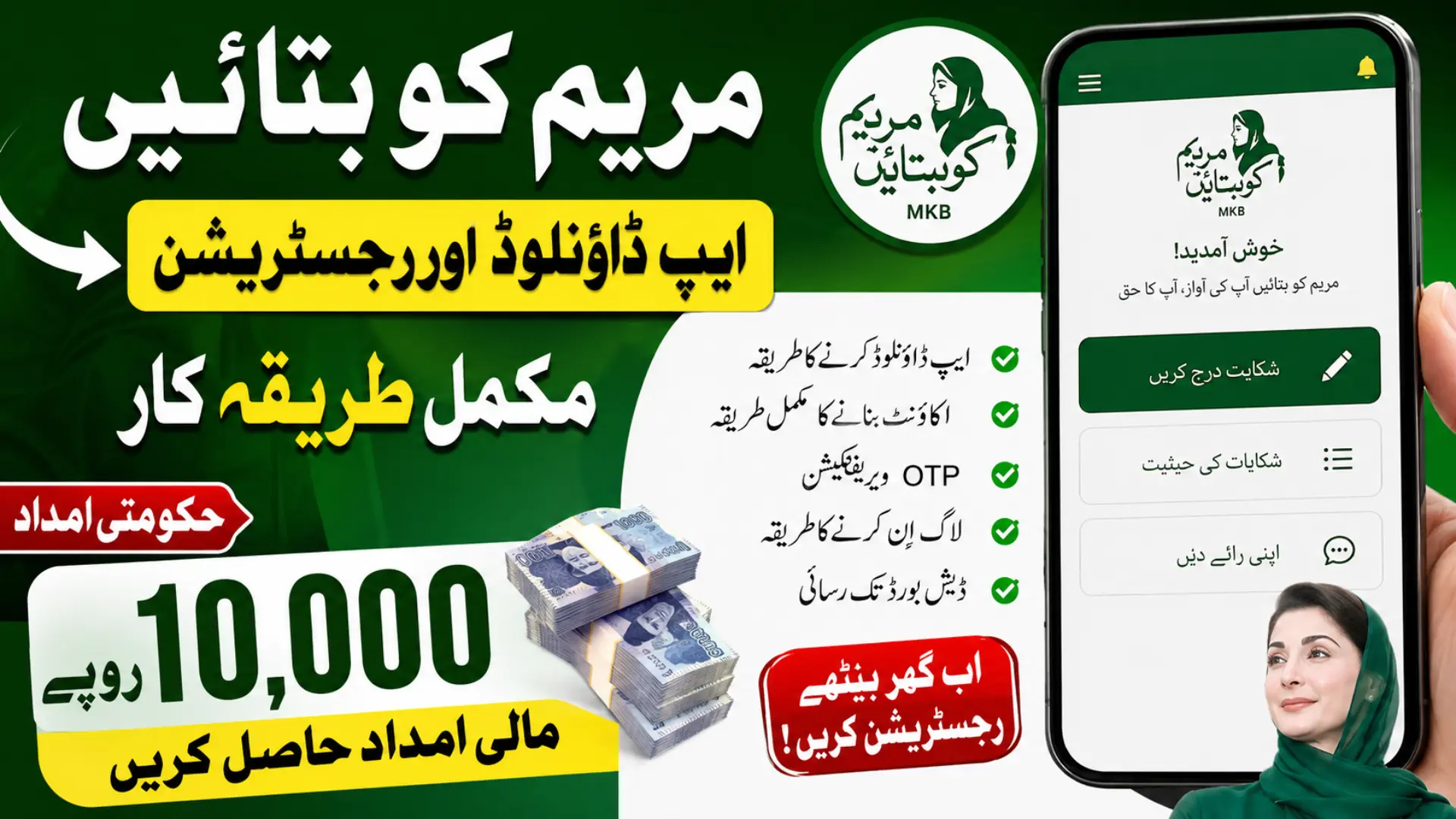
If you want to register for the Maryam Ko Batayn Rs. 10,000 financial assistance, this guide explains the complete process from start to finish. You will learn how to download the official Maryam Ko Batayn app from the Google Play Store, install it safely, create a new account, complete the registration form.
You will verify your mobile number and email with the OTP code, and log in using your CNIC and password. It also explains what to do if you do not receive the OTP and how to access the app dashboard successfully. Every step is written in simple language for first time users.
Quick Answer
To register in the Maryam Ko Batayn App, download it from the Google Play Store, complete the Sign Up form with your personal details, verify the OTP sent to your mobile number and email address, then log in using your CNIC and password.
Quick Info – Maryam Ko Batayn App
| Feature | Details |
|---|---|
| App Name | Maryam Ko Batayn |
| Platform | Android |
| Registration | Required before using services |
| Required Documents | Valid CNIC, Mobile Number, Email Address |
| Verification | OTP through mobile and email |
| Login Method | CNIC and Password |
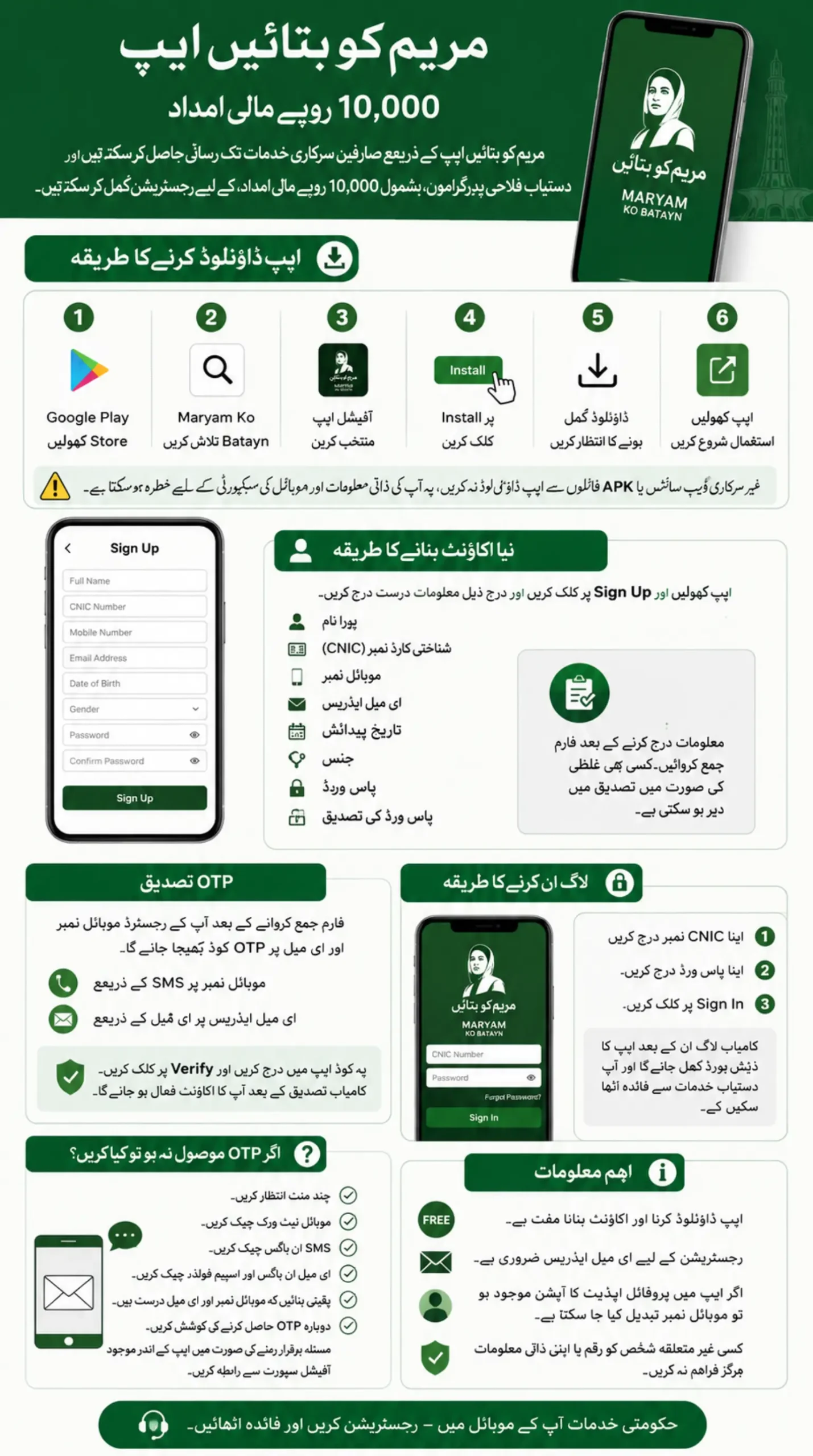
How to Download the Maryam Ko Batayn App
The first step is downloading the official application on your Android phone.
Follow these steps.
- Open the Google Play Store.
- Search for Maryam Ko Batayn.
- Select the official application in Google Play Store.
- Tap Install.
- Wait until the download finishes.
- Open the app from your home screen.
Always download the application from the official Google Play Store. Avoid APK files or unofficial websites because they may not be secure.
Why Do You Need the Maryam Ko Batayn App?
The app allows citizens to access government services and submit complaints digitally. It also supports registration for eligible public welfare initiatives announced through the platform.
Creating an account helps you access available services without visiting government offices.
How to Create a Maryam Ko Batayn Account
- After opening the app, you will see the login screen.
- If you are using the app for the first time, first of all, select Sign Up.
- The registration form will appear.
Enter the following information carefully.
- Full name
- CNIC number
- Email address
- Mobile number
- Date of birth
- Gender
- Password
- Confirm password
Review your information before submitting the form. Even a small mistake can delay verification.
Once everything is correct, tap Sign Up.
What Happens After You Submit the Registration Form?
After successful registration, the system sends a One Time Password.
You will receive the OTP on:
- Your registered mobile number
- Your registered email address
Enter the OTP in the verification screen and tap Verify. After successful verification, your account becomes active.
Why Is OTP Verification Required?
- OTP verification confirms that your mobile number and email belong to you.
- This step protects your account and helps prevent unauthorized registrations.
- Without completing verification, you cannot access the dashboard.
How to Log In to the Maryam Ko Batayn App
After verifying your account, return to the login page.
Enter:
- Your CNIC number
- Your password
Tap Sign In.
If the information is correct, the application will open the dashboard successfully. You can now use the available services through your account.
What Will You See After Login?
- After signing in, the MKB app opens the main dashboard.
- From here, you can access the services currently available through the Maryam Ko Batayn platform.
- The dashboard may change as the government adds new features or public service programs.
Also Read: Petrol Subsidy App 2026 Get 2000 Payment And 1000 Per Liter Relief Full Details
What Should You Do If You Do Not Receive the OTP?
First, wait a few minutes.
If the code does not arrive:
- Check your SMS inbox.
- Check your email inbox and spam folder.
- Confirm that your mobile number and email address are correct.
- Make sure your phone has network coverage.
- Request a new OTP if the option is available.
If the problem continues, contact the official support channels provided inside the application.
Can You Register Without an Email Address?
No. The registration process requires a valid email address because the verification code is also sent through email.
Use an email account that you can access easily.
Can You Change Your Mobile Number Later?
If the app provides a profile update option, you can change your mobile number after verifying your identity.
If this option is unavailable, contact the official support team for assistance.
Also Read: How to Apply For Petrol Subsidy Program Through “Maryam Ko Bataiyen” App and mkb.Punjab.gov.pk
Is the Maryam Ko Batayn App Free?
Yes. Downloading the application and creating an account is free.
You should only use the official application to avoid scams or fake registration pages.
Final Words
The Maryam Ko Batayn App makes registration simple when you follow each step carefully. Download the official app, complete the registration form, verify your OTP, and log in using your CNIC and password.
If you enter accurate information and complete the verification process, your account will be ready to access the services available through the platform.